
Loyal Aura app for business
Run your loyalty program from your phone.
Scan a customer's card at the counter, add stamps or points, look up anyone's balance and send a push message to your members. The Loyal Aura app for iPhone and Android, made for owners and their staff.


Free to download. Sign in with your Loyal Aura account.
Your customers don't need this app. Their card lives in Apple Wallet or Google Wallet. The app is for you and your team.
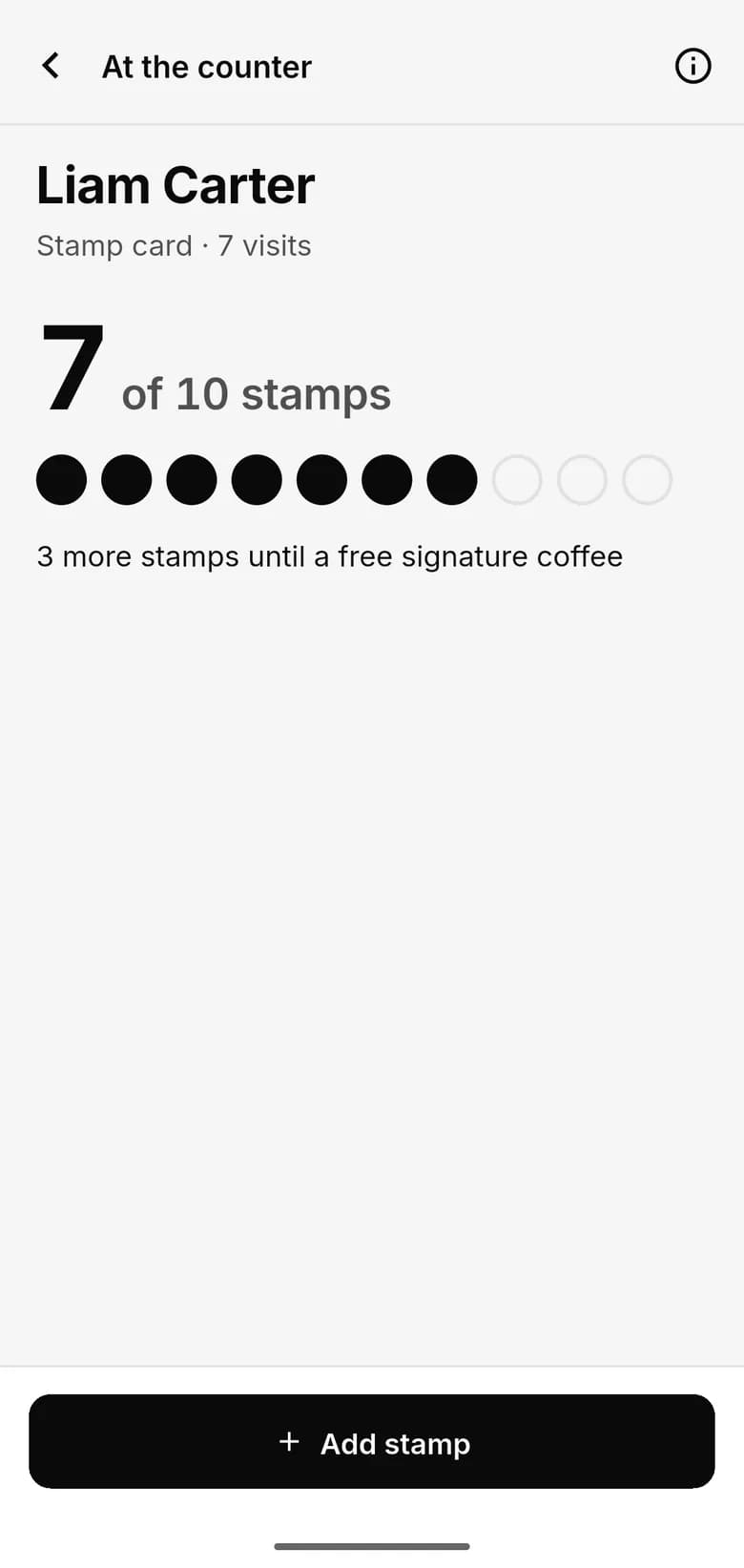
At the counter
Scan, add, done. A stamp in seconds.
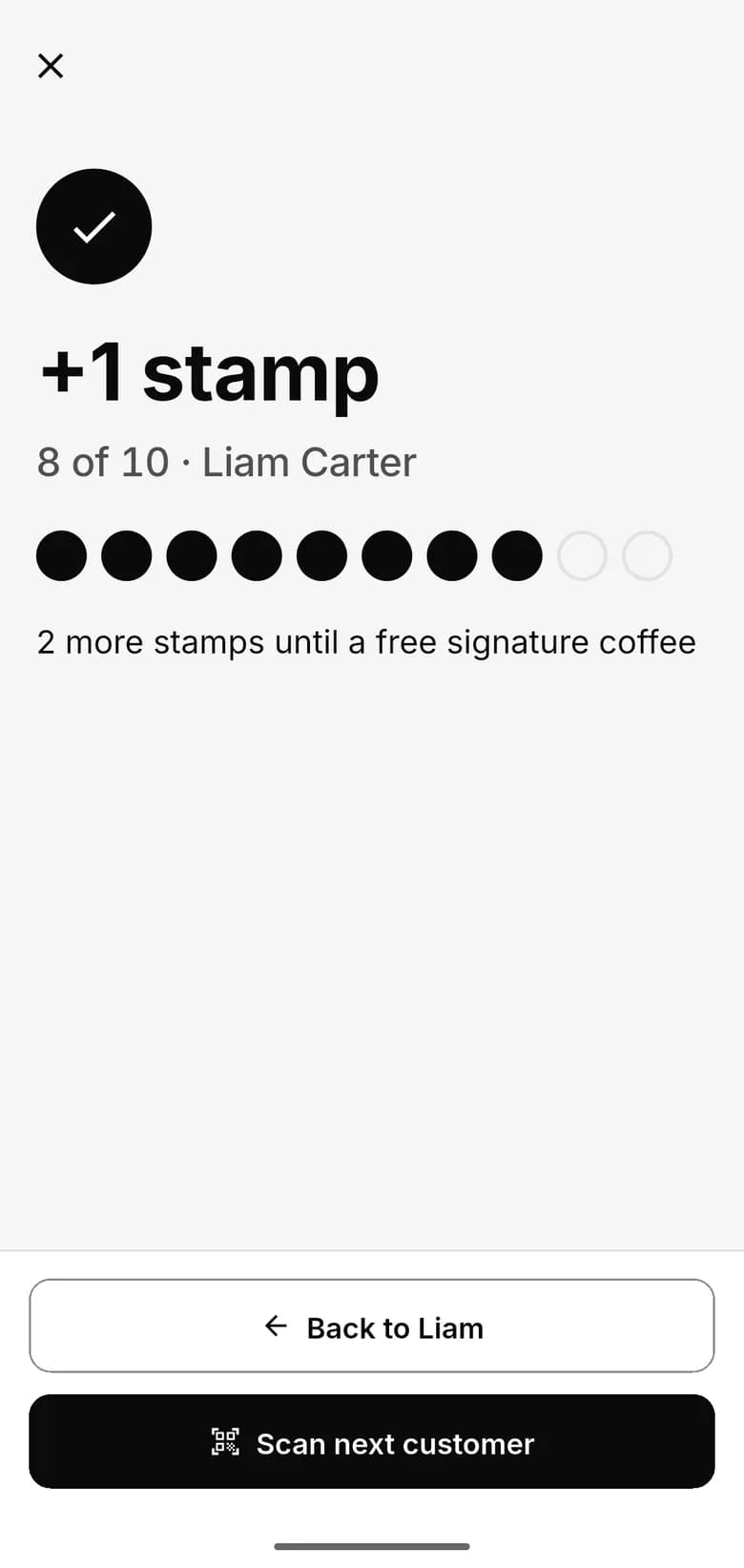
Tap Scan, hold the customer's QR code inside the square and add a stamp or points. The card in their wallet updates with the new balance.
- Works with stamp cards and points cards, earned on visits or on spend
- Code won't scan? Find the customer by name, phone, email or card number
- Every scan is recorded against the location it happened at
- Adjust a balance by hand when something goes wrong, if you allow it
Inside the app
Your business portal, in your pocket.
The app works with the same account and the same data as the web portal, and shows only what your plan and your role allow.
- 9:41
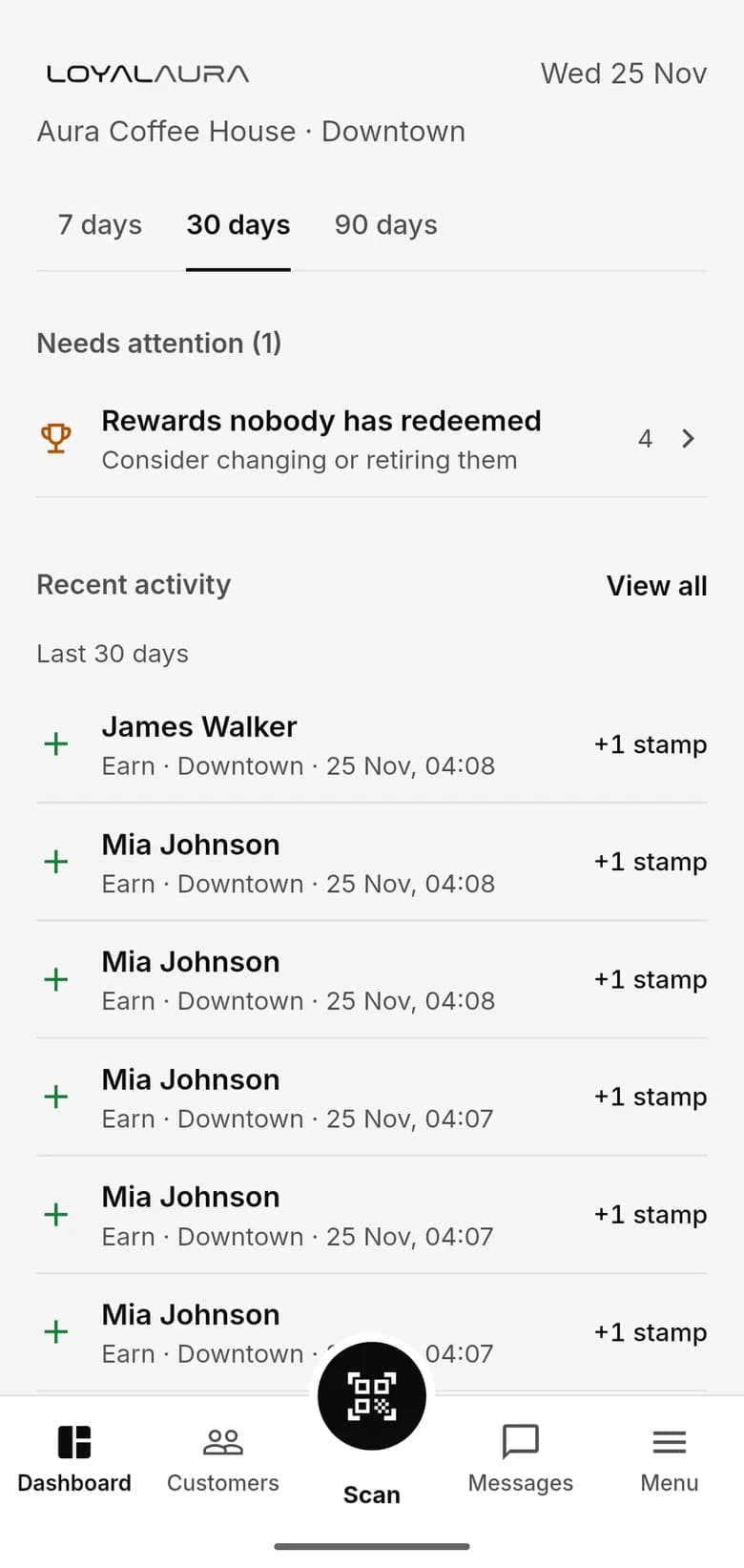
Home: recent activity and what needs your attention - 9:41
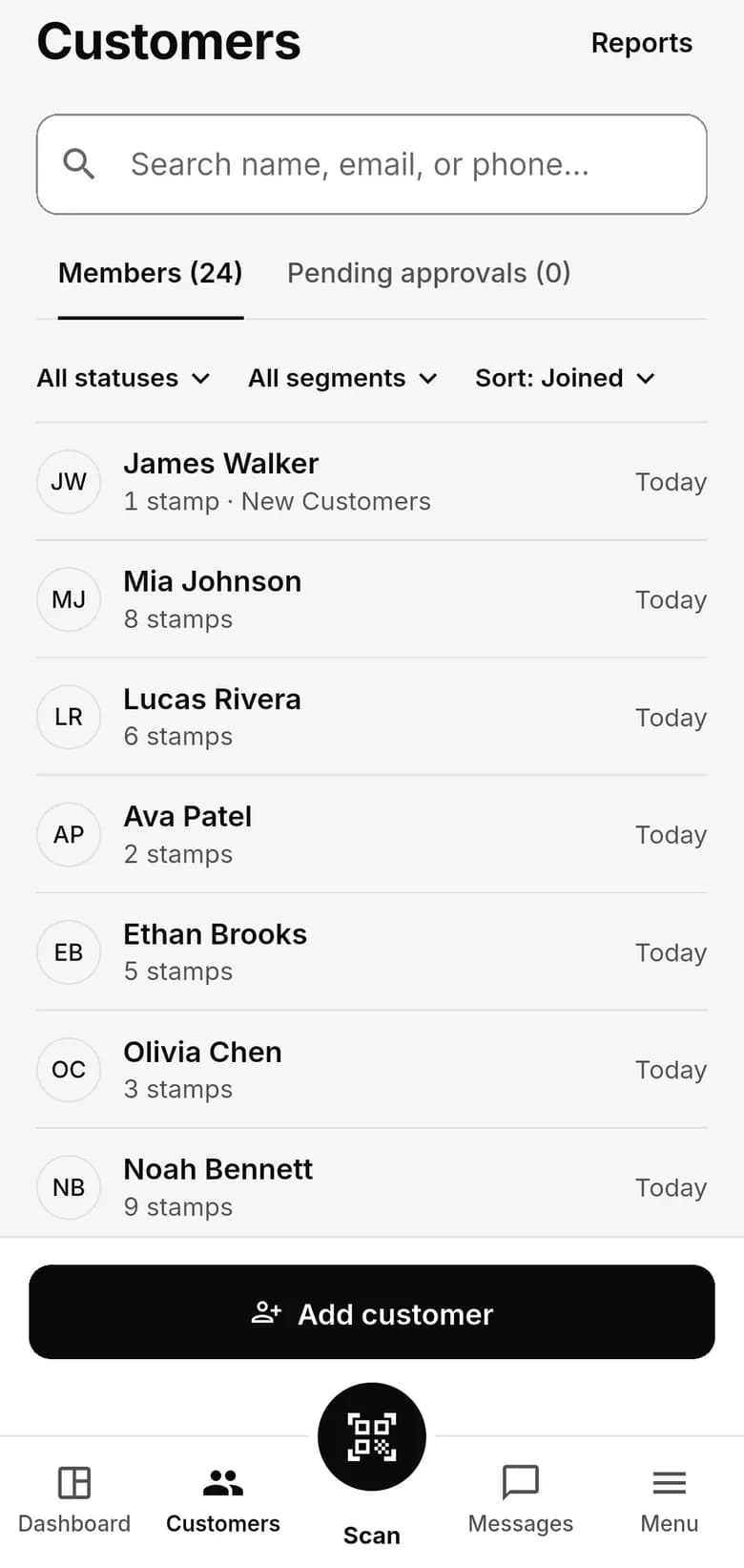
Customers: every member, searchable, with their balance - 9:41
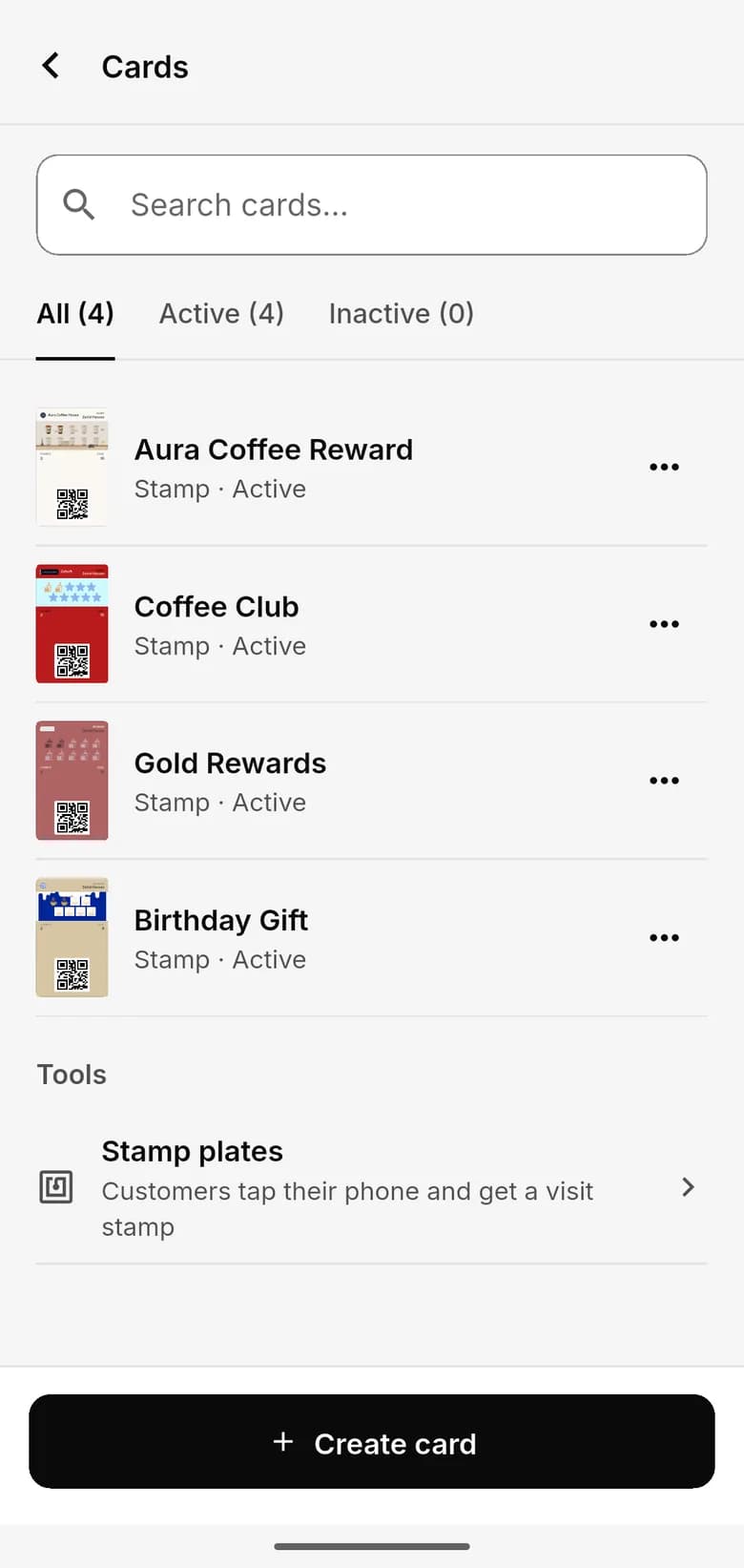
Cards: your wallet cards, and a button to create a new one - 9:41
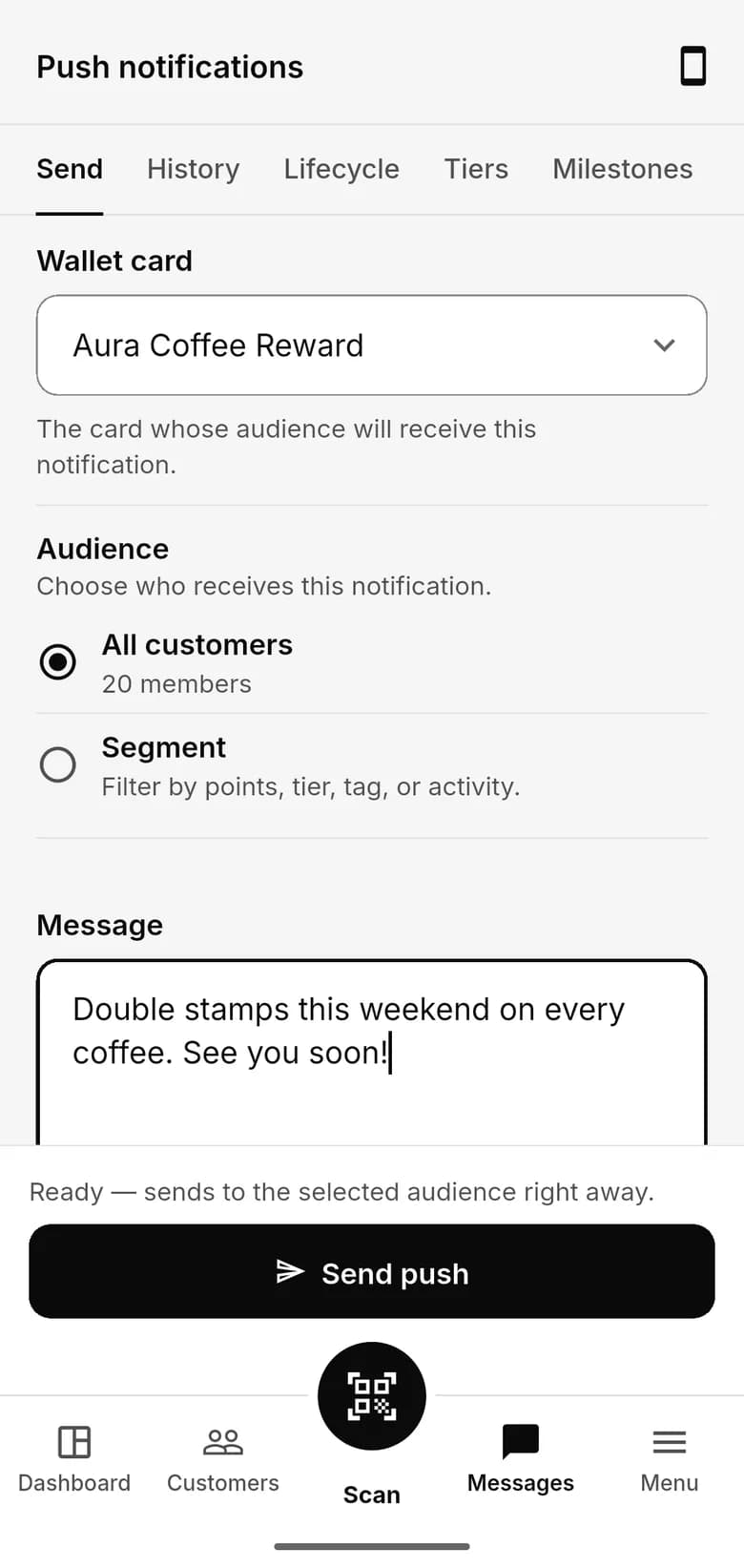
Push: a message to the cards in your members' wallets
What you can do
The daily work of your program, without opening a laptop.
Scan and award
Read the QR code on a customer's wallet card with the phone camera and add stamps or points.
Customers
Search your members, add a new one at the counter and open a profile to see balance, transactions and notes.
Wallet cards
Create and edit stamp, points, tier, membership, gift and other cards, and preview them as Apple Wallet and Google Wallet passes.
Push messages
Send a message to the wallet cards of all your members or a segment.
Google reviews
Read your Google reviews and reply with AI-drafted answers that you check before they are posted.
Analytics
Members, scans, redemptions and revenue for the period you choose.
Email campaigns
Write a campaign and see how many members it will reach before you send it.
Team and locations
Add locations, invite managers and staff, and choose what each of them can open.
Features follow your plan, the same as in the web portal.
Who it's for
One app for the whole team, each with their own login.
Everyone signs in with their own account. The app shows each person only the screens their role allows.
Owner
Every screen: cards, customers, messages, reviews, analytics, team, settings and your plan.
Manager
The parts of the business you give them access to, for example customers, cards and messages.
Staff
Just the scanner, if that's all they need. Staff tied to one location scan for that location only.
Questions
Questions about the app
Do my customers need to download an app?
How much does the app cost?
Does it work with the web portal?
Which phones does it run on?
Can my staff use it?
Do I need a scanner or new hardware?
Start on the web, run it from your phone.
Create your account, launch your first card, then download the app for the counter. 7-day free trial, no card needed.
- No credit card needed
- Cancel anytime
- Apple & Google Wallet
Loyal Aura LLC, St. Petersburg, Florida