
WhatsApp Business
A shared WhatsApp Business inbox for your shop. Connected in one click.
Connect your WhatsApp Business number through Meta's official Embedded Signup. Your team answers every customer from one inbox, and your automations can send WhatsApp messages and review requests for you.
- No credit card needed
- Cancel anytime
- Apple & Google Wallet
Do customers need an app? No. The card lives in Apple Wallet or Google Wallet, already on their phone.
 Loyal Aura is an approved Meta Tech Provider. You connect through Meta's official Embedded Signup.
- shared inbox for your WhatsApp Business number
- 1
- ways to connect: your WhatsApp Business app number or a new number
- 2
- Meta developer accounts or tokens needed for quick connect
- 0
- customer window applied for you, as WhatsApp requires
- 24h
Why it matters
Customers already message you on WhatsApp. Most shops answer from one phone.
Questions, bookings and "is my reward ready?" land on a single handset. Nobody else sees them, and nothing connects them to the customer's loyalty card.
- Today: Chats sit on one staff phone.With Loyal Aura: Your team answers from one shared inbox in the portal.
- Today: Connecting the WhatsApp API needs a developer.With Loyal Aura: Quick connect through Meta's official Embedded Signup, no token to copy.
- Today: You have no idea who is messaging.With Loyal Aura: Chats from loyalty members show the member they belong to.
- Today: Follow-ups depend on someone remembering.With Loyal Aura: Automations send WhatsApp messages and review requests on their own.
Connect
Your own number. Connected through Meta's Embedded Signup.
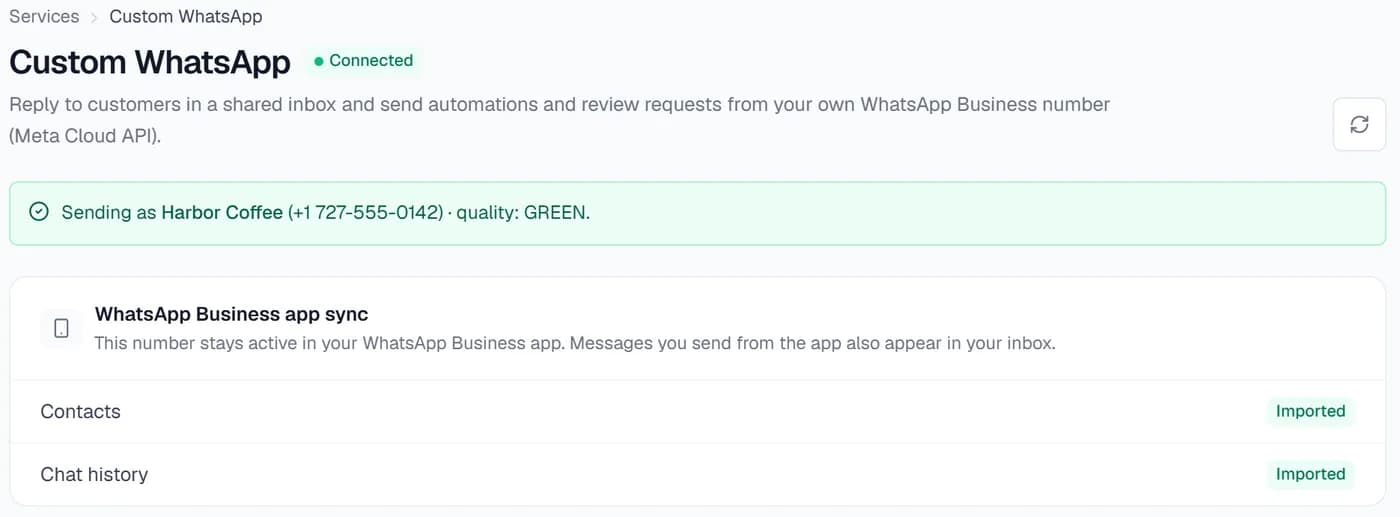
Quick connect opens Meta's official sign-up window, so there is no Meta developer account to set up and no token to paste. Keep the WhatsApp Business app number you already use, or connect a new number that works only through Loyal Aura.
- Keep using the WhatsApp Business app on your phone: contacts and recent chats sync to the inbox
- Or connect a brand-new number that isn't on WhatsApp yet
- Manual setup with your own Meta token is still there for advanced users
- Send a test message to check the connection
Shared inbox
Every chat in one place. Answered by the whole team.
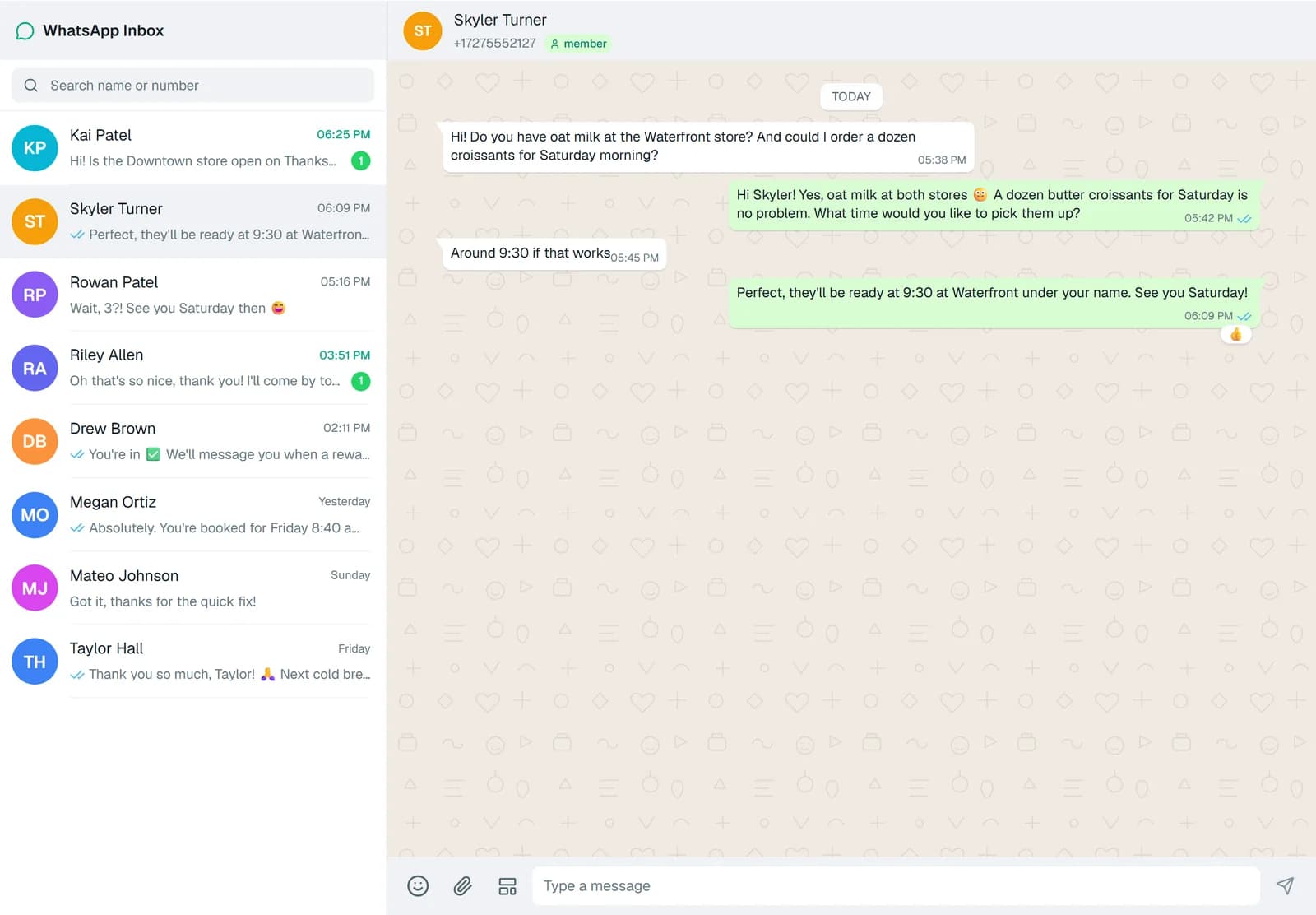
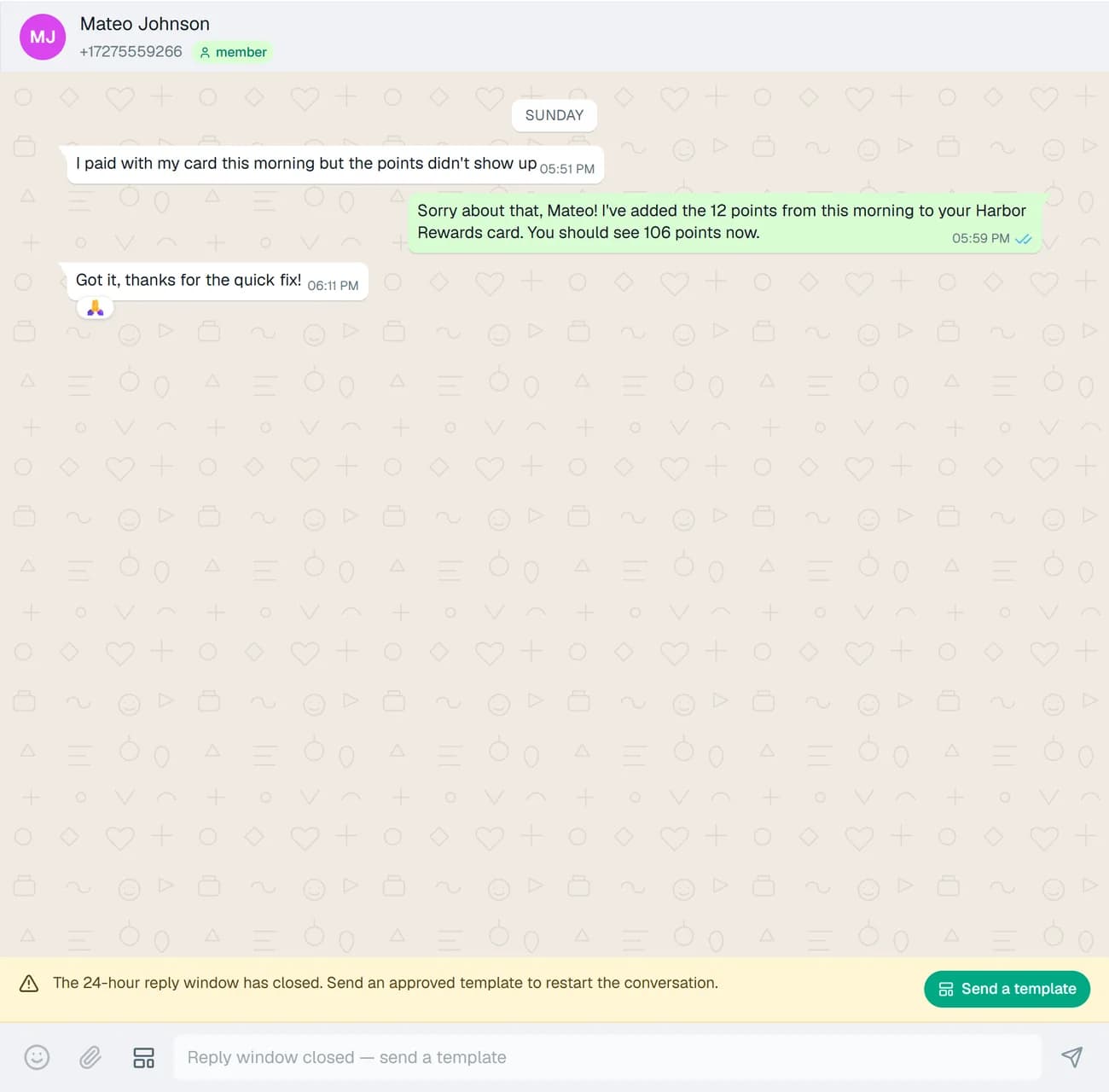
The inbox works like WhatsApp Web inside your portal: search, unread counts, photos, videos, voice notes and documents, quoted replies, reactions and read ticks. A chat from a loyalty member is linked to that member.
- Reply with text, emoji and attachments
- Quote a message and react to it
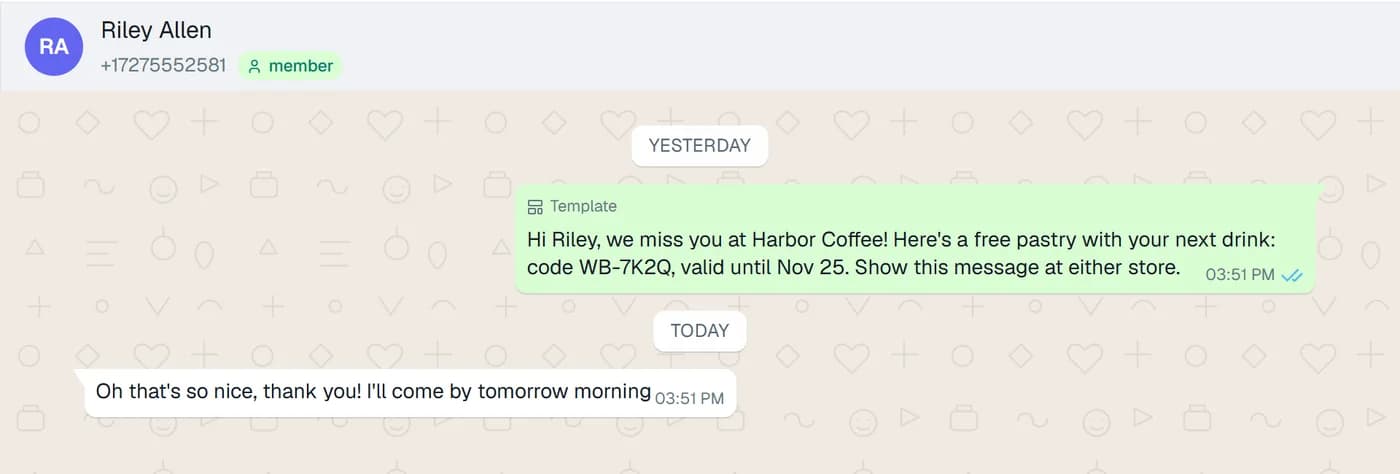
- Chats from members show who they are
- Replies sent from the WhatsApp Business app show up too, when you keep that app
Automations
WhatsApp that sends itself. At the right moment.
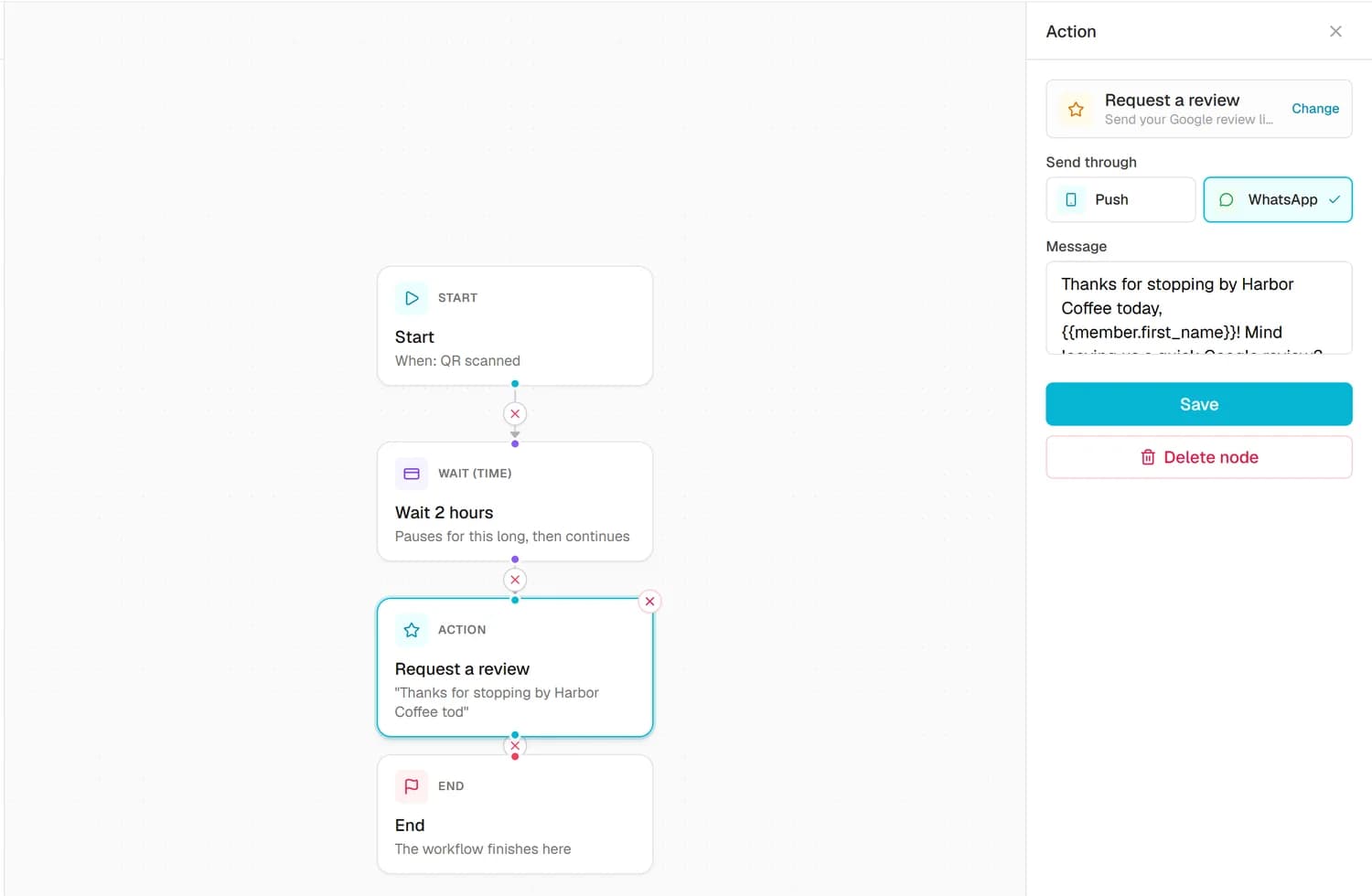
Add a Send WhatsApp step to any automation, such as a win-back for members who stopped visiting. Personalise it with merge tags like {{member.first_name}}, add a coupon link, or send a Google review request by WhatsApp.
- Send WhatsApp from automations
- Review requests by WhatsApp from the Reviews module
- Merge tags for first name, coupon link and review link
- Sent from your own WhatsApp Business number
WhatsApp's rules, built in
Free replies inside 24 hours. Approved templates after that.
WhatsApp lets a business reply freely for 24 hours after a customer's last message. Outside that window, only message templates that Meta has approved can be sent. The inbox follows this for you: when the window closes, the composer switches to your approved templates.
- The 24-hour customer window is shown on every chat
- Your Meta-approved templates are listed in the composer
- Meta bills message fees directly to your WhatsApp Business account
Where it works
The conversations your customers already start. In every kind of local business.
- Restaurant loyalty programAnswer table and opening-hours questions, and win back regulars who stopped coming.
- Salon loyalty programConfirm appointment questions and reply to photos of the look a client wants.
- Barbershop loyalty programReply to "are you open now?" from the shop, not a personal phone.
- Coffee shop loyalty appSend a member's reward or a win-back coupon by WhatsApp.
- Gym loyalty programAnswer class and membership questions from one inbox for the whole front desk.
- Car wash loyalty programShare a review request by WhatsApp after the wash.
Plans and prices
Included from Loyalty Growth. Or add it to any plan.
WhatsApp Business
$9/ month
- Add-on for any plan, including Loyalty Starter, Reviews and Games
- Shared inbox for your WhatsApp Business number
- WhatsApp from automations and review requests
Loyalty Growth
Recommended$39/ month
- WhatsApp inbox and automations included
- All 8 card types, tiers and segments
- Automated triggers such as win-back and birthday
Loyalty Scale
$89/ month
- WhatsApp inbox and automations included
- Email marketing and SMS campaigns
- REST API and webhooks
Suite Pro
$99/ month
- WhatsApp inbox and automations included
- Loyalty, reviews and games in one plan
- Up to 10 locations
Meta bills WhatsApp message fees directly to your WhatsApp Business account. Prices in USD from our live catalogue, billed monthly or yearly. Every plan starts with a free 7-day trial, no credit card needed.
Start free 7-day trialQuestions
WhatsApp Business, answered.
Still deciding? Book a demo or talk to us, and we will walk you through it.
Which plans include WhatsApp Business?
Who pays for WhatsApp messages?
How do I connect my number?
Can I keep using the WhatsApp Business app on my phone?
Why can't I send a free-form message to every customer?
Can automations send WhatsApp messages?
What happens if I remove WhatsApp from my plan?
Answer every WhatsApp from one inbox. And let automations follow up.
Start a free 7-day trial, connect your number in Settings and reply to your first customer today.
- No credit card needed
- Cancel anytime
- Apple & Google Wallet
Loyal Aura LLC, St. Petersburg, Florida